INDIVIDUAL & FAMILY BROKERS

EMI Central help for individual & family brokers

Log in, enroll clients, and manage your individual book. Selling group products? That portal works differently — this page covers the individual side.

Start with the door that matches where you are.

I have a log in

Head straight to your dashboard.

Log in

Appointed, but need access

Credentials come by email at onboarding. Missing yours, or adding an account manager? One email to the team sorts it.

Request portal access

One portal, built for your whole agency

Every role gets its own login and the right level of access.

Agency owners & principals

Manage agency settings, view activity and payments.

Brokers & agents

Enroll clients, track enrollments and payments, view commissions.

Agency administrators & account managers

Assist with enrollments and manage agent access with their own login. Never share broker credentials — separate logins keep enrollments credited correctly. Need to add someone? Email individualsales@emihealth.com with their name, role, and email.

USING EMI CENTRAL

Your Dashboard

When you log in, your dashboard is home base — commissions, policy details, new enrollments, member resources, delinquent accounts, and claims and billing help.
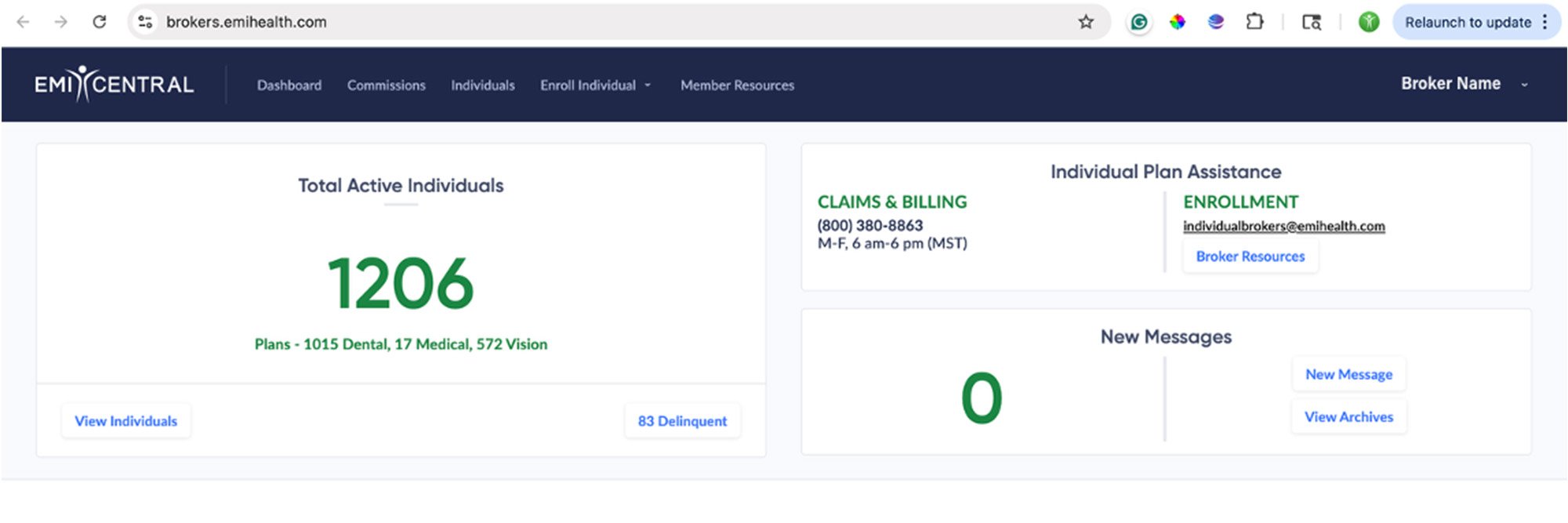
annotated dashboard

Broker Resources button links straight to your resource hub — or bookmark go.emihealth.com/ind-brokers

Enrolling a client

Every enrollment starts from your EMI Central dashboard. Starting there applies a unique enrollment link that carries your broker and agency ID — so the enrollment is credited to you. The page looks identical to the public plan page; the difference is in the URL.

1 — Start from your dashboard

Click the Enroll Individual tab at the top of the portal. Choose Individual Plan (or Senior Plan in Utah for Medigap). 
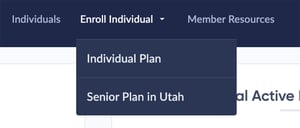
 

step1_edit


2 — Select the state

Licensed in one state? You're forwarded to your shopping page automatically.

More than one? Choose the client's state from the dropdown.
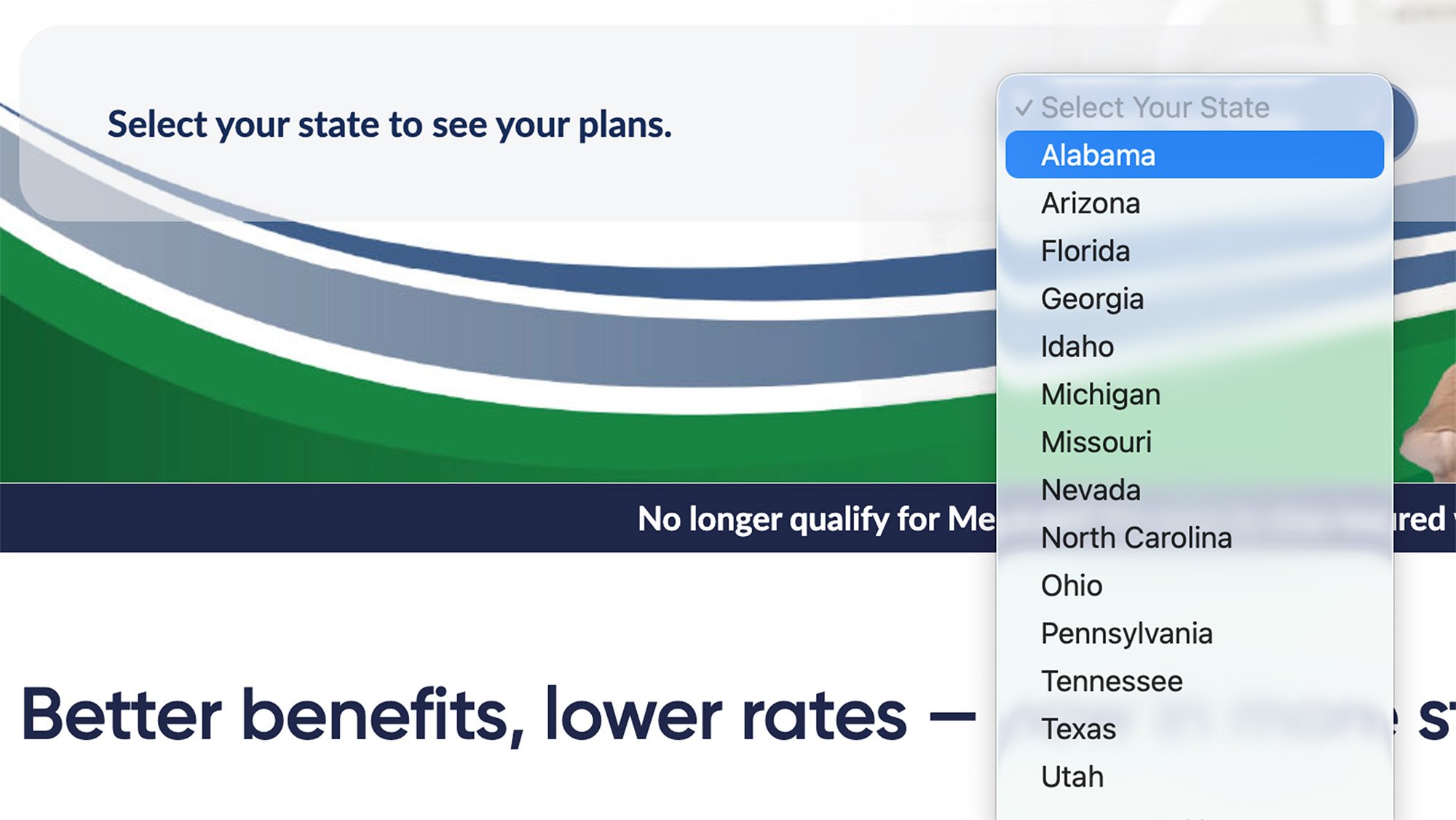
Step2_edit


3 — Complete the application with your client

Add plans to the cart and enter your client's information. Know before you start:

- A valid SSN or ITIN is required for every member, including dependents.

- The client chooses an effective date: the first of the upcoming month, or the first of the month after.

- A valid payment method (credit card or EFT) is required and enrolls in autopay — validated at submission, charged near the effective date. 
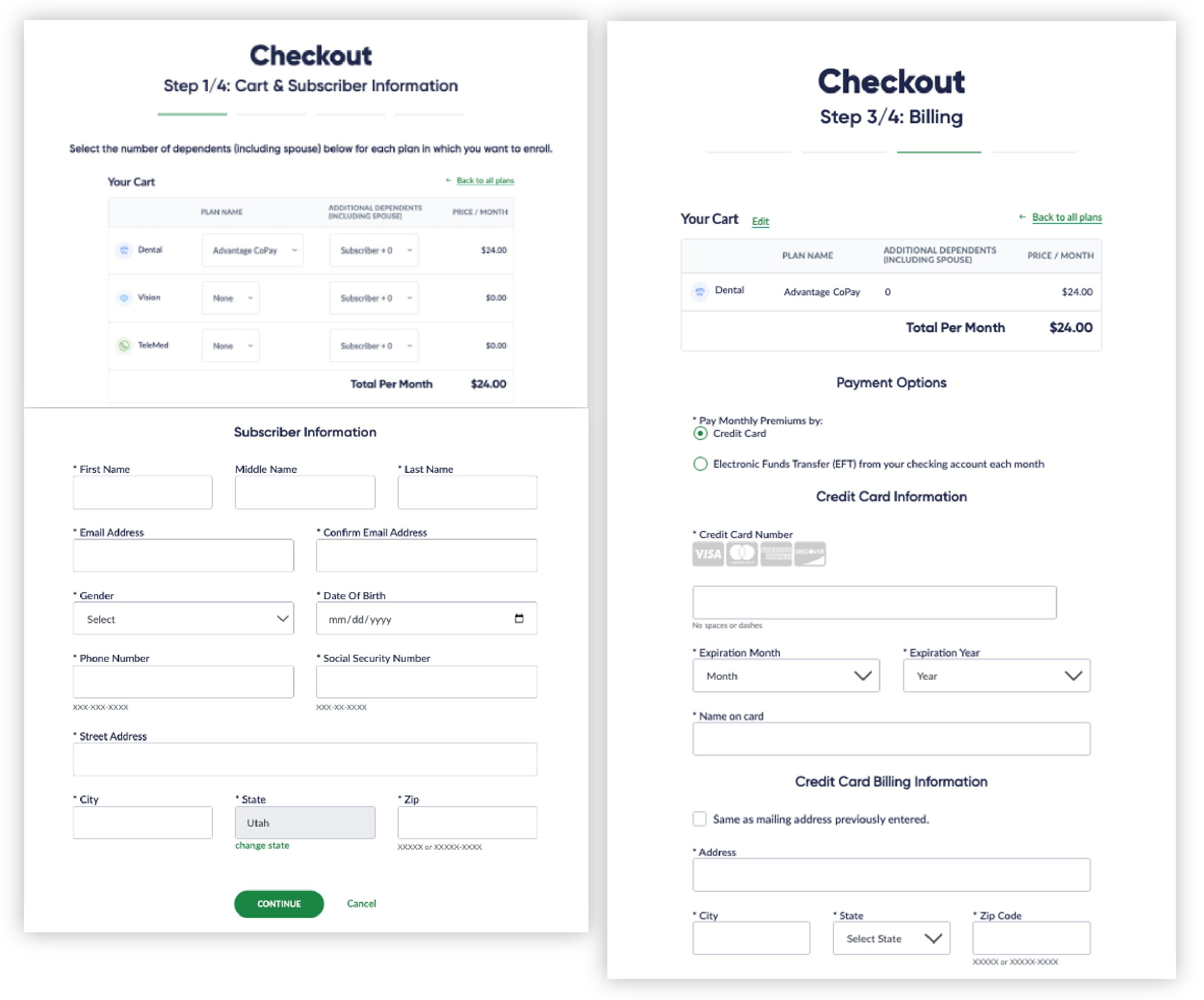
STEP3_EDIT


4 — Track and manage

Submitted enrollments appear under Individuals on your dashboard — status, payments, and delinquencies in one view. 
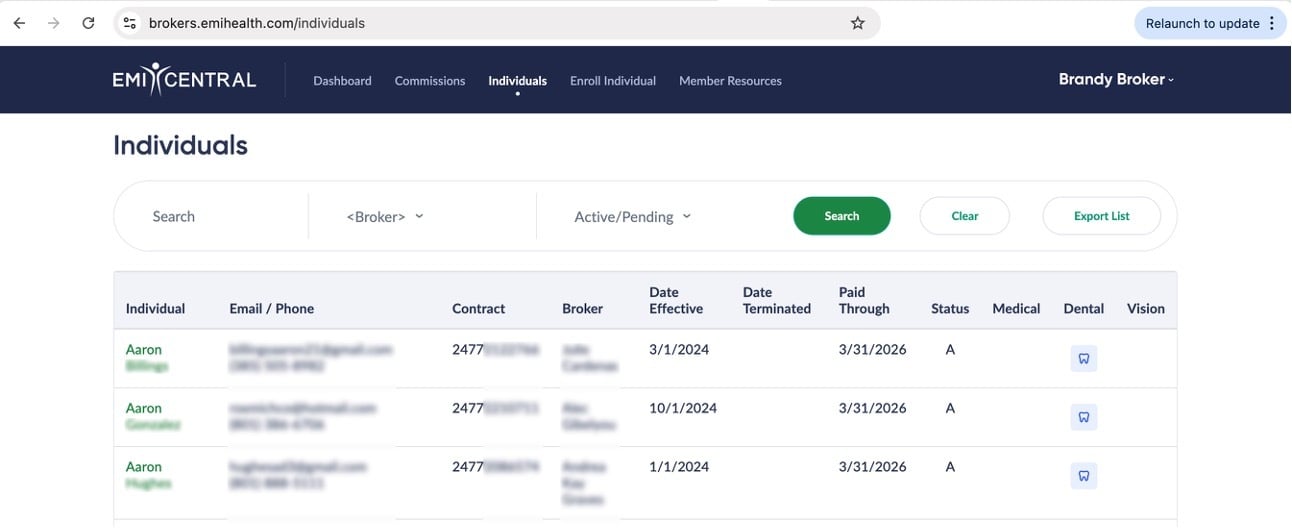
individual_dashboard


Billing dates, waivers, and what your client receives

First-payment timing, effective vs. billing dates, and waiting-period waivers live on your broker resource hub — one source, always current.

Go to general information and resouces

When you need a person

Need help with…
Who to contact
Applications or enrollment
Sales, resources & general questions
Portal access & agency setup